
To delete a user from your MxToolbox account, please follow these steps:
- Log in to your MxToolbox account.
- Click on your email address in the top right corner and click on Settings.
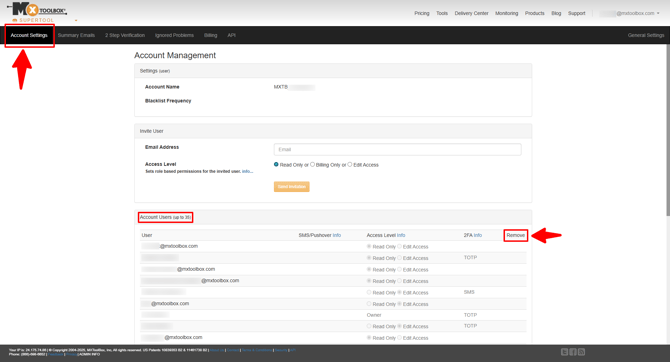
- Click on Account Settings from the black navigation bar (red arrow below).
- In the Account Users section (highlighted below), select the users you want to delete in the Remove column on the far right (red arrow below).
Note: Only users with an Editor permission level can remove/delete a user from an account. To learn more about user permission levels, click here.